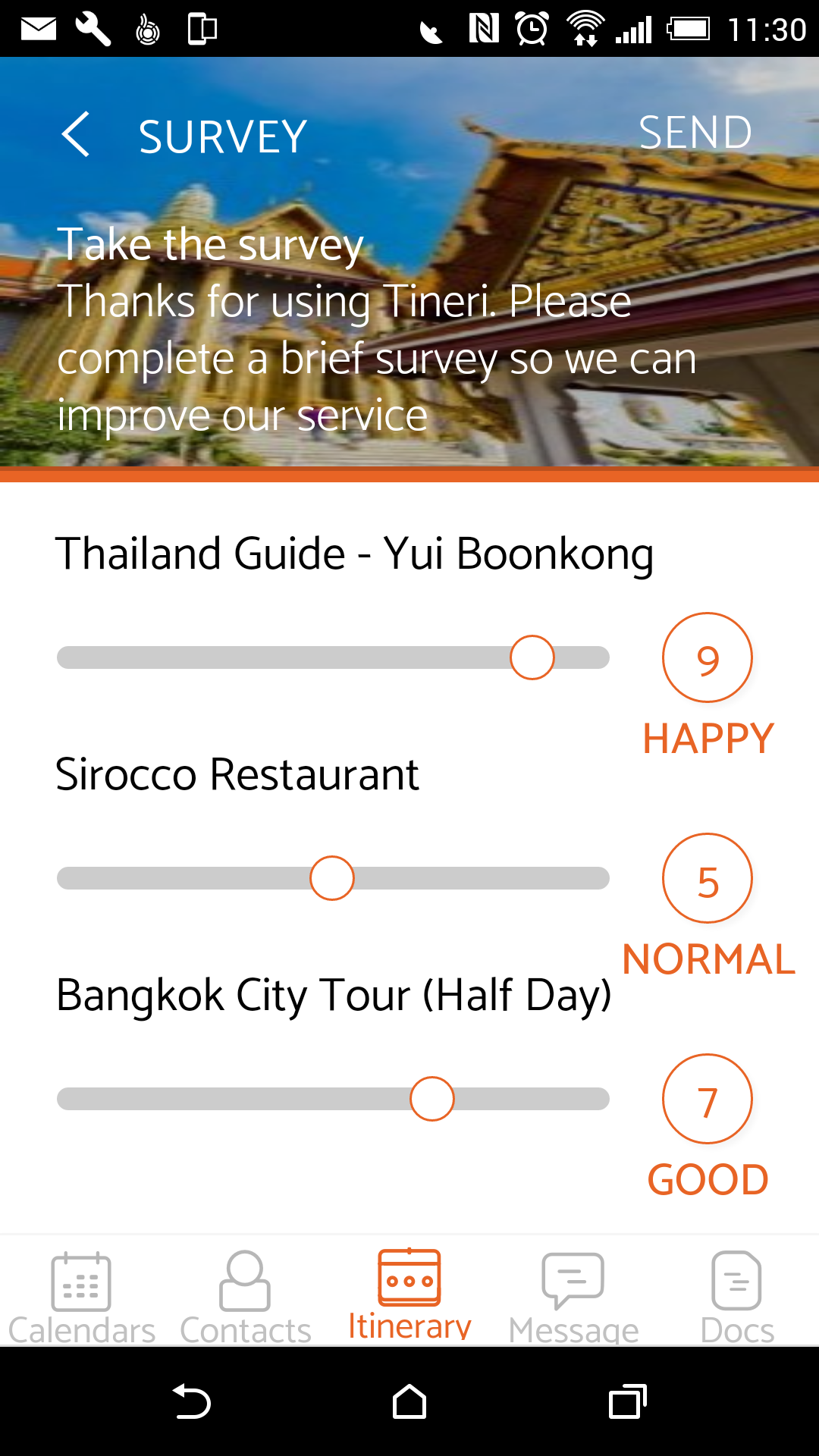
Tineri's Daily Surveys are one of its most popular features. On every day of a Booking, you can select various Items (eg the guide, the hotel, a restaurant, an attraction etc) to be added to the Survey, and invite your clients to mark them out of 10. This not only allows you to monitor customer satisfaction from the start of the trip and identify dissatisfied or difficult customers early on; it also allows you, over the course of weeks & months, to build up a picture of which tour elements customers love, and which ones need improving or replacing.
To create Daily Surveys, go to the relevant Booking, Open it, and then Edit the Day to which you want to add Survey Items. This will open the Booking Detail screen:
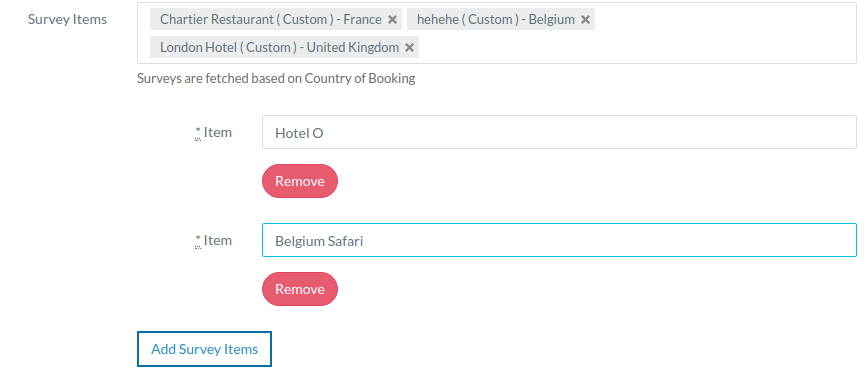
A new custom survey can be created while adding the survey to the booking day. To create a new survey click on the "Add Survey Items" button below survey items. Add the details and on submit of the form the survey will be created and assigned to the booking day.
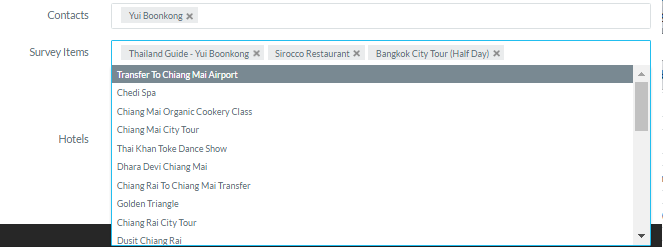
To add Survey Items, simply click on the Survey Items field and then select Items from the drop-down list. You can narrow your search by typing the first few letters of an Item. To Delete an Item (eg Sirocco Restaurant), simply click the X. When you click Submit, those items will be added to the Daily Survey as seen in the App below: